 homepage | the beginning of

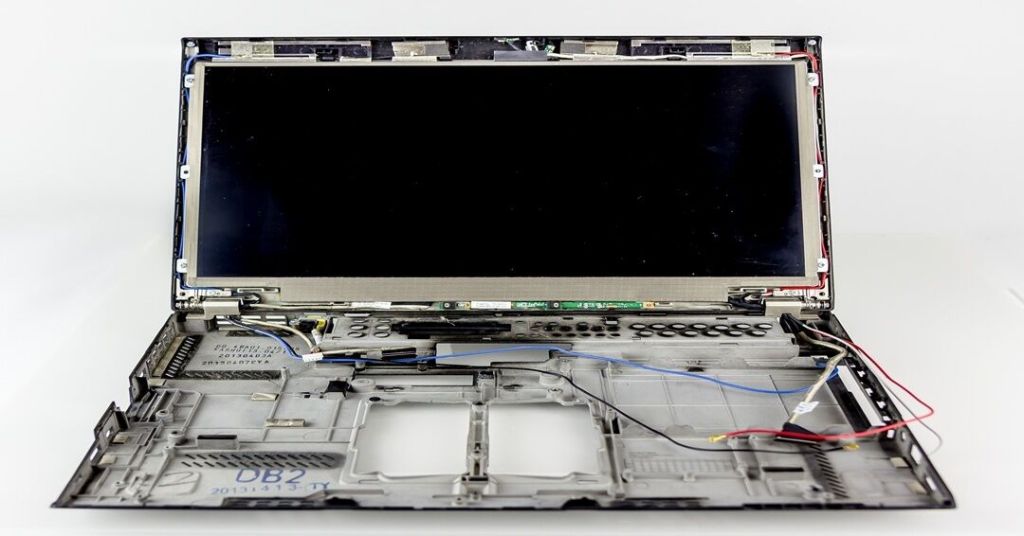
When you decide to replace a laptop display, the focus is usually on the panel itself—the resolution, the brightness, and the delicate eDP cable. However, as the image below illustrates, there is a secondary “nervous system” that requires just as much precision: the internal WiFi and Bluetooth antenna array.
Most modern laptops utilize the perimeter of the screen lid to house these antennas. This placement is strategic, positioning them as far away from the electromagnetic interference of the motherboard as possible to ensure maximum signal gain.
Key Technical Considerations
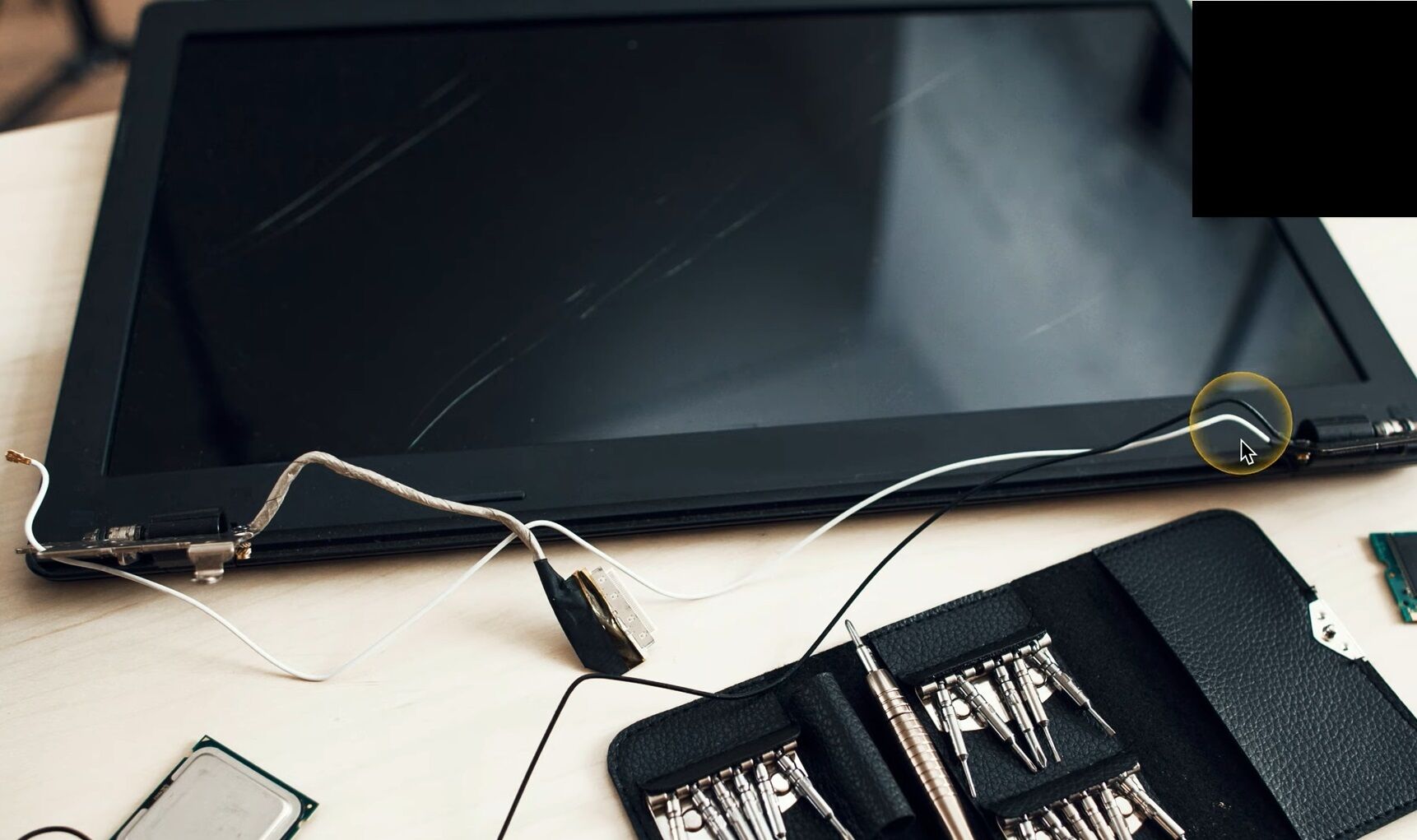
- Cable Routing: In the photo, you can see the black and white coaxial cables (Main and AUX) being carefully unthreaded from the hinges. These cables are incredibly thin and prone to “pinching.” If a cable is crushed by a screw or a hinge bracket during reassembly, you’ll face intermittent connectivity or a complete loss of signal.
- The Hinge Stress Point: The area highlighted in the circle shows the critical transition point. Cables must have exactly the right amount of slack to survive thousands of open-close cycles without fraying.
- Shielding and Interference: Notice the metallic tape and grounding points. These aren’t just for cable management; they ensure the antenna maintains a solid ground plane against the laptop’s internal frame.
Repairing hardware is often an exercise in patience. It’s not just about swapping parts; it’s about understanding the internal architecture that keeps us connected.
For more technical insights and deep dives into the world of IT hardware and consulting, visit my blog: https://matteocasiraghi.it
#LaptopRepair #TechConsulting #HardwareMaintenance
 the beginning of matching tips
Leave a comment