 homepage | the beginning of

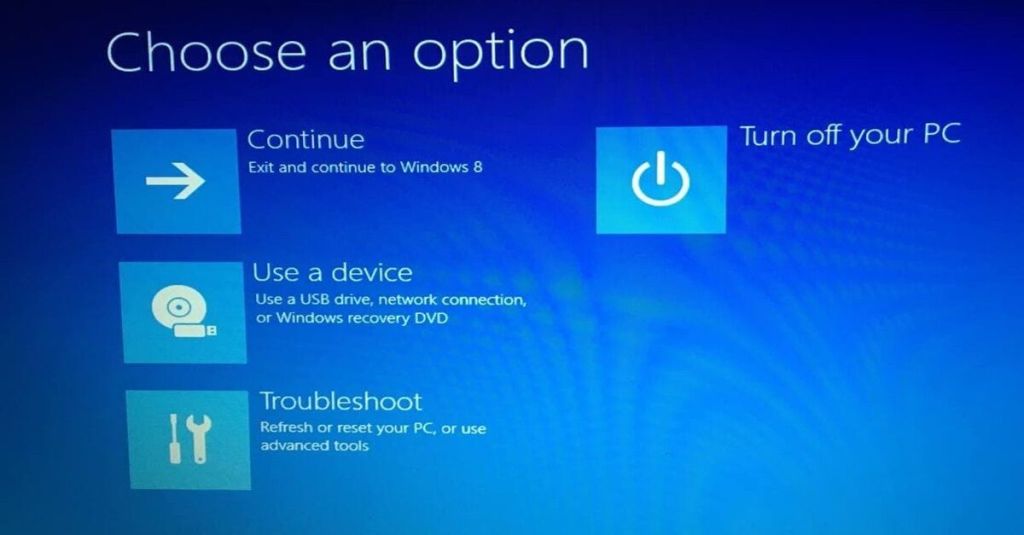
🚀 Ever flipped open your PC only to be greeted by a terrifying black screen screaming “Operating system not found” or “Missing operating system”?
Don’t panic! Boot errors can feel like a major nightmare, but in most cases, your data is completely safe—your Windows bootloader is just lost in translation.
This usually happens when the boot loader is altered or replaced, often after installing multiple operating systems or following an interrupted system update.
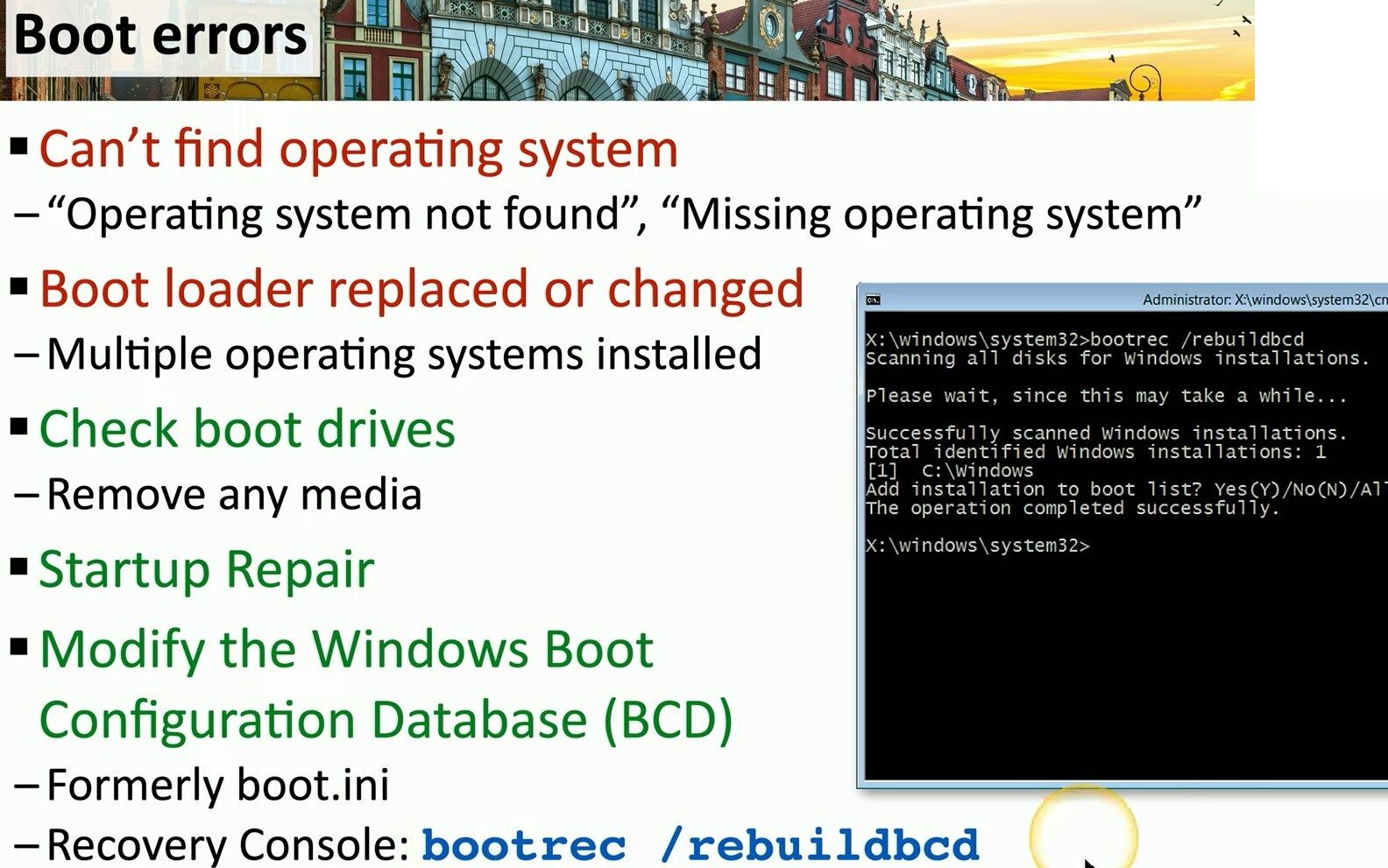
Before diving into command lines, always check the basics: unplug any external USB drives or media cards that might be hijacking the boot priority!
If simple checks and automatic Startup Repair don’t solve the issue, it’s time to take control with the Windows Boot Configuration Database (BCD)—the modern, powerful successor to the old boot.ini.
🛠️ Quick Recovery Console Fix:
- Boot into the Windows Recovery Environment and launch the Command Prompt.
- Type the magic command: bootrec /rebuildbcd
- Windows will scan all attached disks for Windows installations.
- When it locates your system (e.g., C:\Windows), press Y (Yes) to add the installation back to the boot list!
Once the operation completes successfully, restart your PC and enjoy your fully restored system! 💻✨
For more deep-dive IT guides, tech insights, and troubleshooting tips, visit my website at https://matteocasiraghi.it
#Windows #ITSupport #Troubleshooting


Leave a Reply