 homepage | the beginning of


🌐 Decoding Virtual Network Requirements: Shared, Bridged, and Private Architectures 💻
Hey everyone! 👋 The attached slide outlines the core Network Requirements for client-side Virtual Machine (VM) Managers. Let’s explore these essential concepts! 🛠️
🚀 The Different Flavors of Virtual Networking
When configuring a VM, you choose one of three main network modes, each dictating how your VM interacts with the host and the wider network.
The Shared Network Address (NAT) configuration is characterized by the VM sharing the same IP address as the physical host machine. Internally, the VM operates using a private IP address. To communicate externally, the system relies on Network Address Translation (NAT) to dynamically convert the VM’s private address into the host’s public IP. This offers simplicity and a layer of security, as the VM is protected from direct external exposure. 🛡️
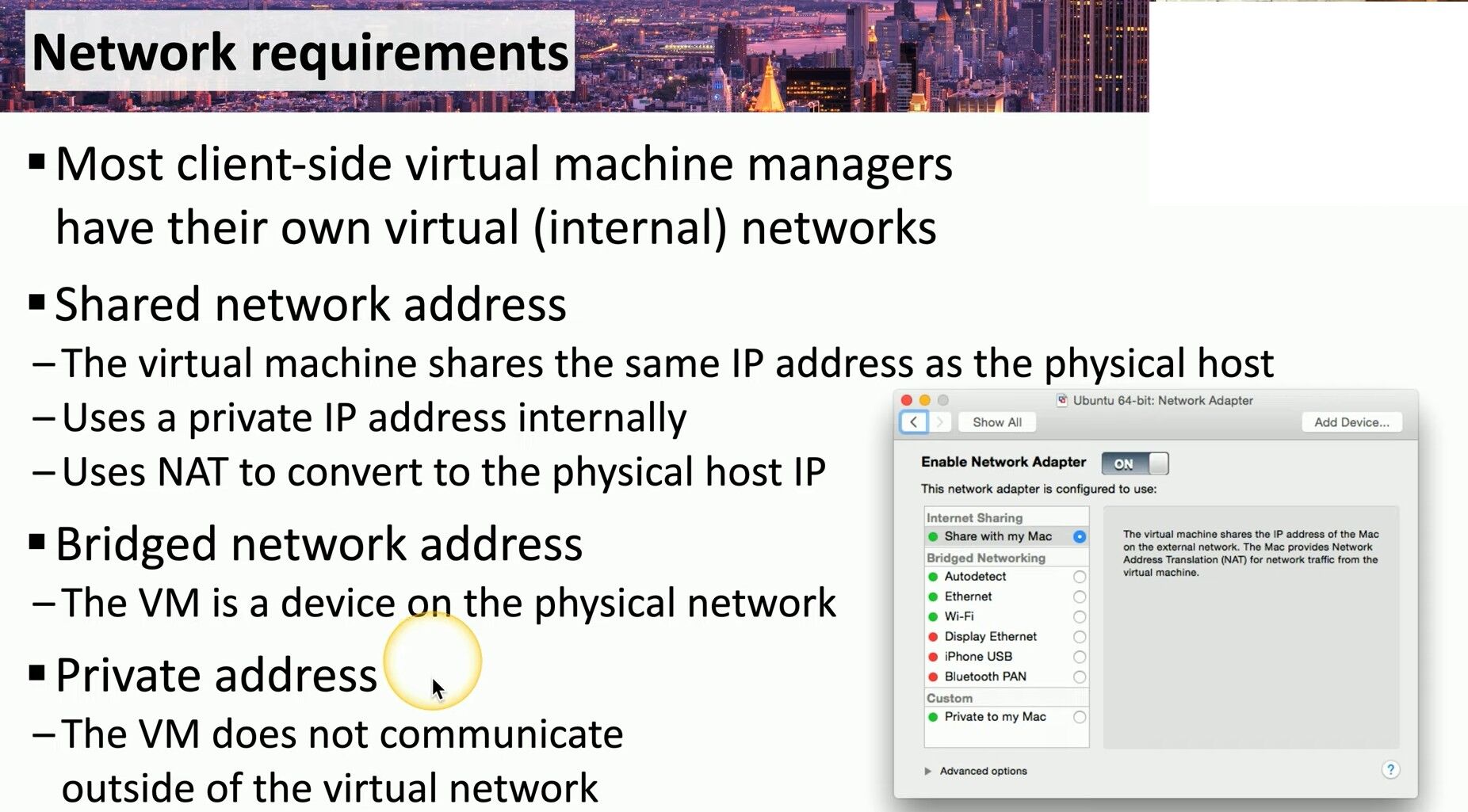
In contrast, the Bridged Network Address mode transforms the VM into a full-fledged device on the physical network. The VM secures its own dedicated IP address from the network’s DHCP server, allowing it to be fully visible and accessible to all other physical devices on the same local network. This setup is ideal when the VM must be treated as a peer and requires full network visibility. 🌟
Finally, the Private Address (Host-Only) setting provides complete isolation. Here, the VM does not communicate outside of the virtual network established by the host manager. Its communications are strictly limited to the host machine itself and any other VMs connected to that specific internal virtual network. This creates a secure, sandbox environment perfect for development or strictly internal testing purposes. 🧪
💡 Why This Matters
For any IT professional, recognizing the nuances between these configurations is paramount. The choice of network mode directly impacts the connectivity, performance, and security of your virtualized environment. Selecting the correct configuration is the most critical first step in setting up any successful VM workload.
Dive deeper into these networking fundamentals and stay tuned for more IT insights! 👇
Visit and Learn More:
#Virtualization #Networking #TechConsultant
 the beginning of matching tips
Leave a comment