 homepage | the beginning of

🔒 Navigating Browser Security Alerts: What Does “Your Connection Is Not Private” Really Mean?
Have you ever been browsing the web and suddenly hit a digital wall? 🛑 A big, alarming screen that says “Your connection is not private.”
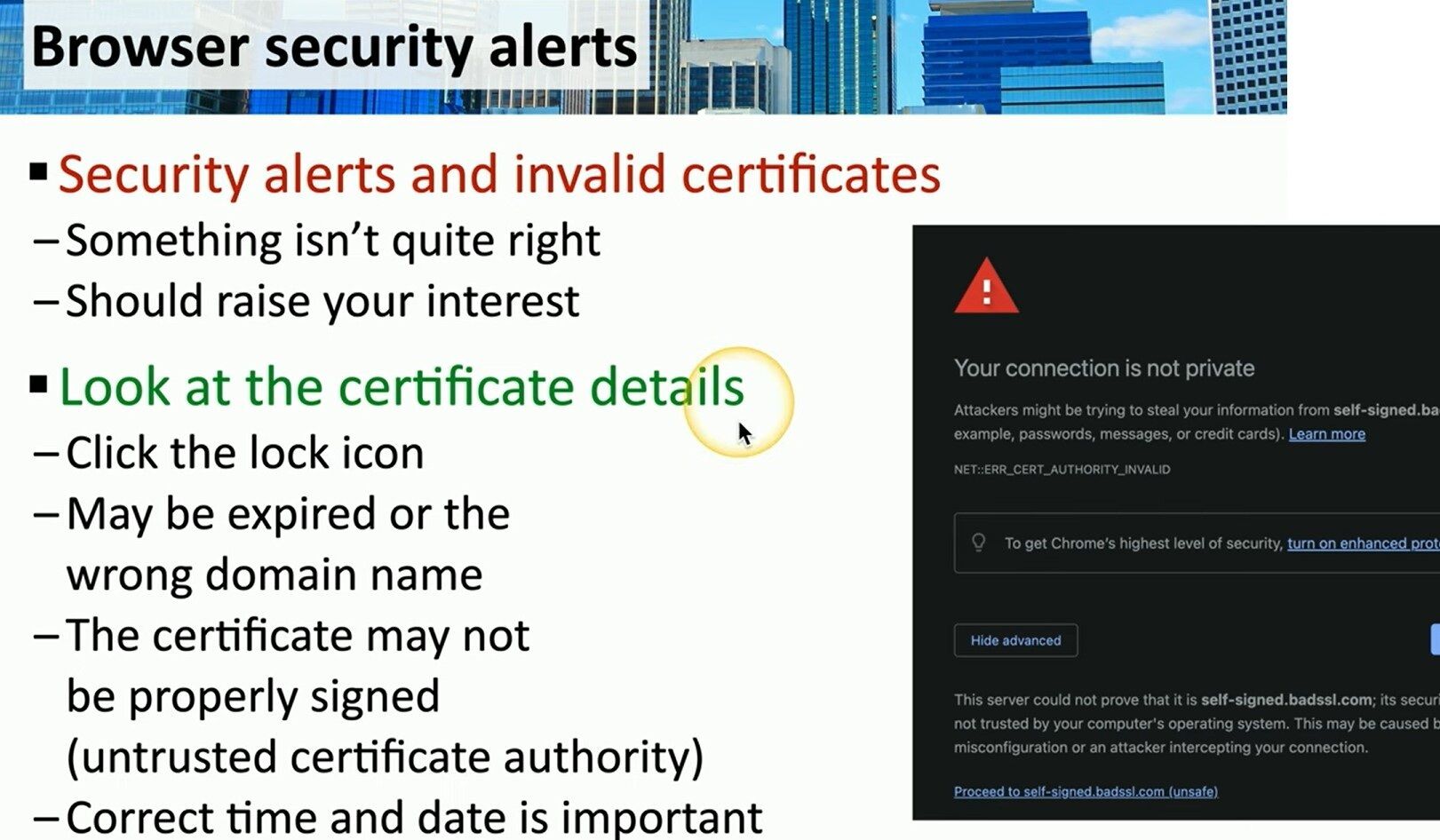
It’s a common sight, as shown in the image, often displaying errors like NET::ERR_CERT_AUTHORITY_INVALID.
This isn’t just an annoyance; it’s a critical security warning from your browser. 🖥️ It means the communication between you and the server isn’t securely encrypted or verified.
But why does this happen? 🤔
This alert is your browser’s way of saying “something isn’t quite right” with the website’s SSL/TLS certificate. As the presentation slide indicates, you should look at the certificate details (often by clicking the 🔒 lock icon in the address bar).
The issue could be one of several things:
- 🗓️ An Expired Certificate: Certificates have a limited lifespan.
- 🏷️ A Domain Name Mismatch: The certificate was issued for a different web address.
- 📜 An Untrusted Certificate Authority (CA): The certificate wasn’t signed by a recognized, trusted organization (or it might be “self-signed”).
- ⏰ Incorrect System Time: Even your computer’s own clock being wrong can cause validation to fail!
What should you do?
When you see this warning, your interest should be raised. It’s a signal that attackers could be trying to steal your information (like passwords or credit cards). 💳
The safest action is to avoid proceeding to the site, especially if it involves sensitive data. For website owners, this is a crucial reminder: always ensure your certificates are valid, properly configured, and from a trusted CA to maintain user trust. 🛡️
#CyberSecurity #SSL #WebSecurity
Visit my website for more insights on technology and security:
https://matteocasiraghi.it
#Privacy #TechTip #CertificateAuthority
 the beginning of matching tips
Leave a comment