 homepage | the beginning of

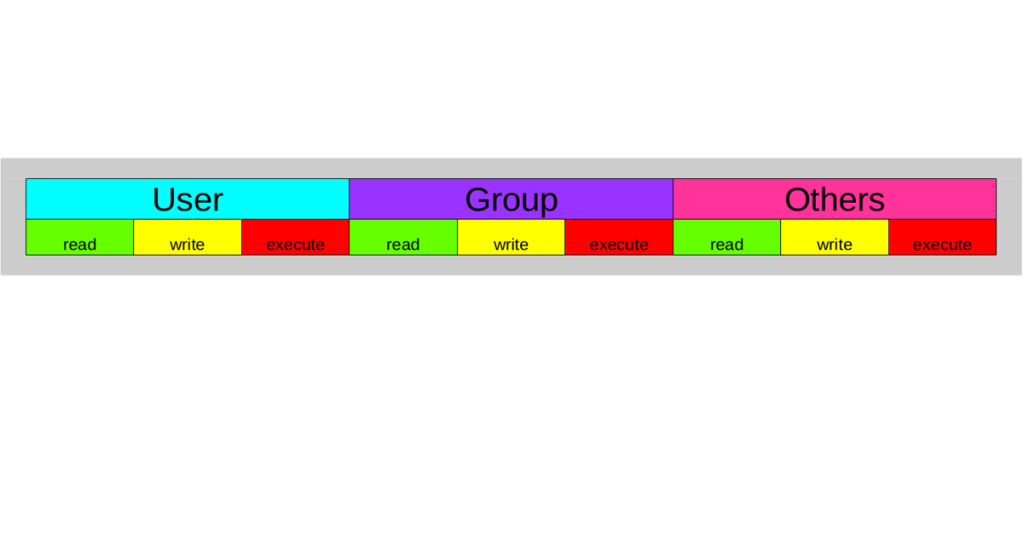
The image showcases the essential command ‘chmod’, used to change the
permissions of a file system object in Linux environments.
File
permissions are critical for controlling access to files and
directories, enhancing both system security and user privacy.
In Linux,
permissions are primarily divided into three types: read (r), write (w),
and execute (x). These can be set individually for the file owner (u),
group (g), and others (o), using either symbolic notation (like u+rwx)
or octal notation (for example, 755 for rwxr-xr-x).
The
example in the image displays file listings using the command ‘ls -l’,
revealing permission structures for various files and directories.
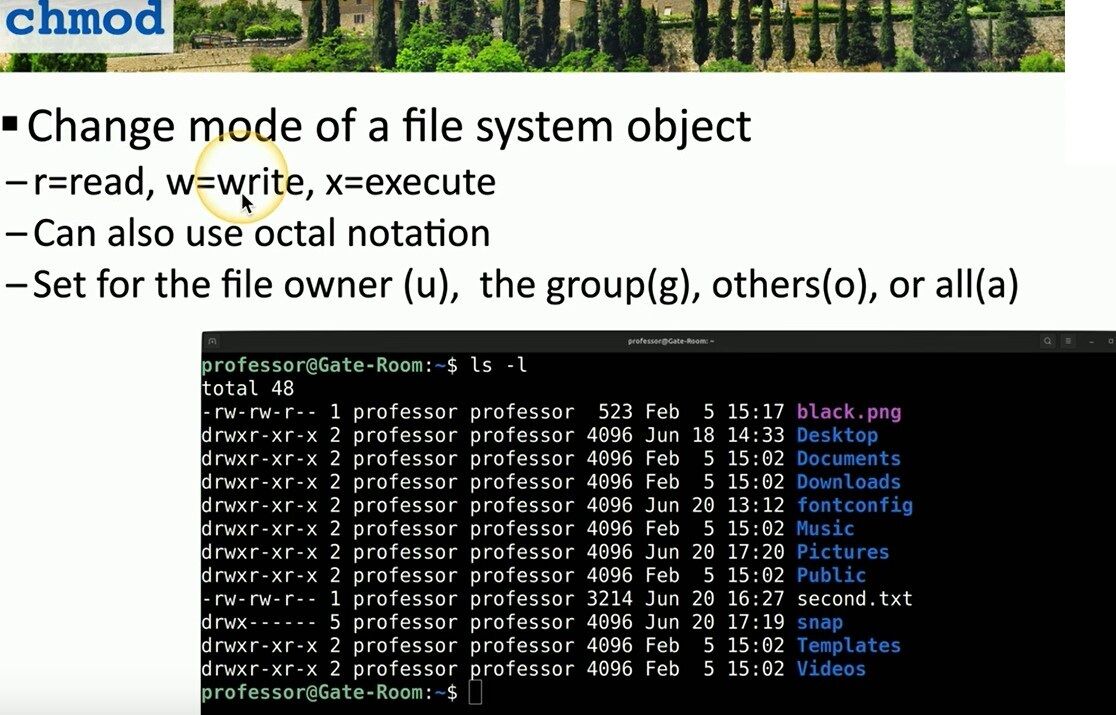
The
first column indicates permission levels.
Mastering chmod enables
efficient configuration—such as granting write access to a user or
restricting execution for others—fundamental operations for system
administrators, developers, and anyone involved in cybersecurity.
Learning
how permissions work and practicing their management helps avoid
unauthorized access and maintains stable, secure systems.
For a deeper
dive into Linux commands and the chmod utility, visit matteocasiraghi.it and explore expert technical content.
#linux #filepermissions #chmod
 the beginning of matching tips
Leave a comment