 homepage | the beginning of


Software stability is the backbone of professional productivity. When application files or configurations become corrupted, knowing how to efficiently manage uninstalls, reinstalls, and updates is a fundamental skill for any IT professional or power user.
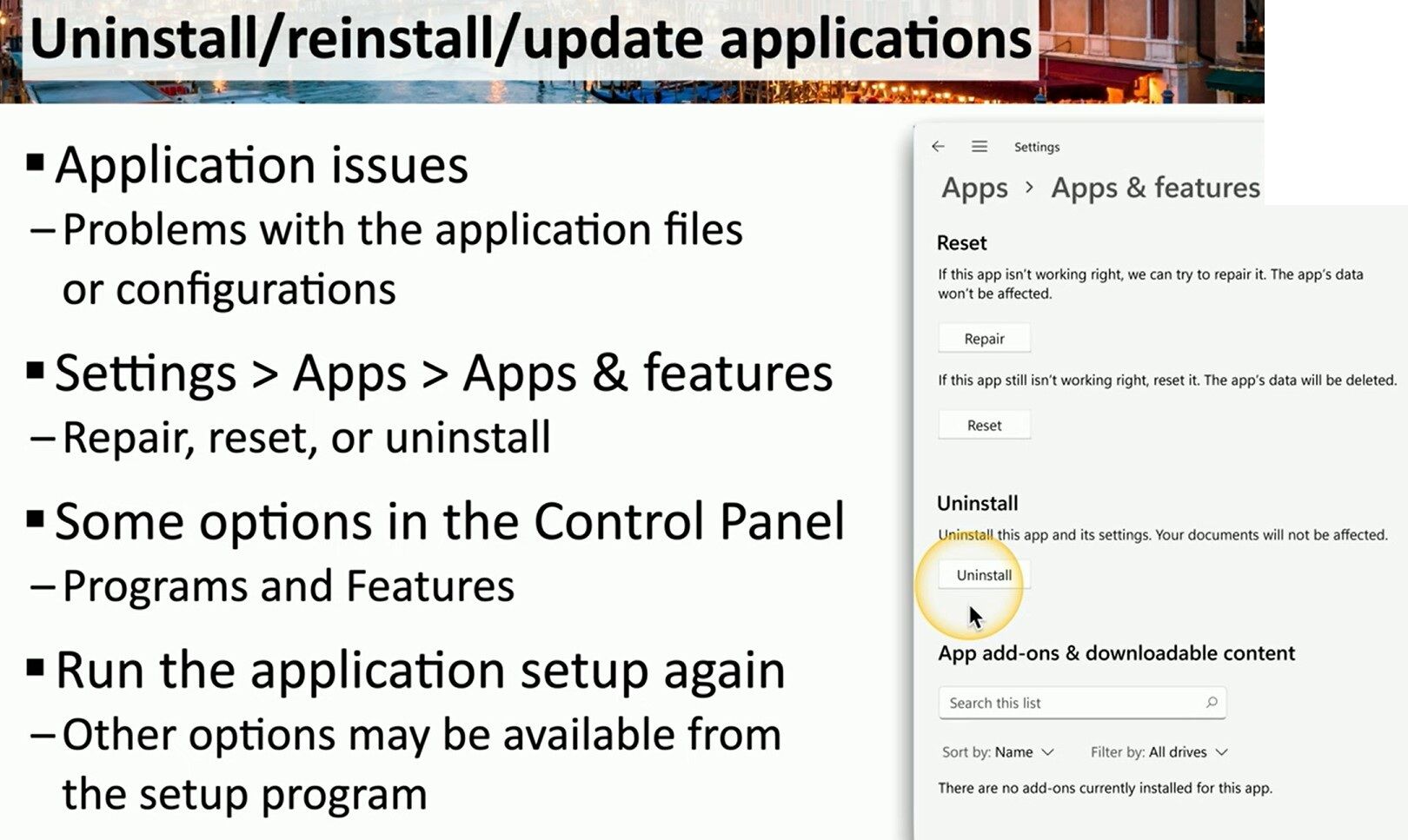
The provided image highlights the essential troubleshooting pathways within the Windows ecosystem. Within Settings > Apps > Apps & Features, Windows offers two distinct recovery options:
- Repair: This is the preferred first step, as it attempts to fix corrupted application files without affecting your personal data.
- Reset: A more aggressive approach that returns the app to its default state, which is useful when configuration files are beyond simple repair (note: this deletes the app’s local data).
For legacy applications or more complex software suites, the Control Panel (Programs and Features) remains a reliable alternative. Furthermore, many developers include a “Modify” or “Repair” function directly within the original setup program (.exe or .msi), which can often resolve issues that the OS-level tools might miss.
Maintaining a clean and updated software environment is not just about fixing bugs; it is about ensuring system security and peak performance. By following these structured steps, you can minimize downtime and maintain a robust digital workspace.
#ITSupport #WindowsTips #TechConsulting
Visit my website for more insights: matteocasiraghi.it
 the beginning of matching tips
Leave a comment