 homepage | the beginning of


In the modern Linux ecosystem, the iproute2 suite has become the gold standard for network management, effectively replacing the legacy ifconfig. The attached image illustrates the output of the ip address command (often shortened to ip a), a fundamental tool for any Technical Consultant or System Administrator.
The output provides a comprehensive overview of the system’s network stack. We can observe two distinct interfaces:
- lo (Loopback): The virtual interface used by the system to communicate with itself, assigned the standard
127.0.0.1and::1addresses. - enp0s5: The primary active network interface. The “state UP” indicates it is currently functional and connected.
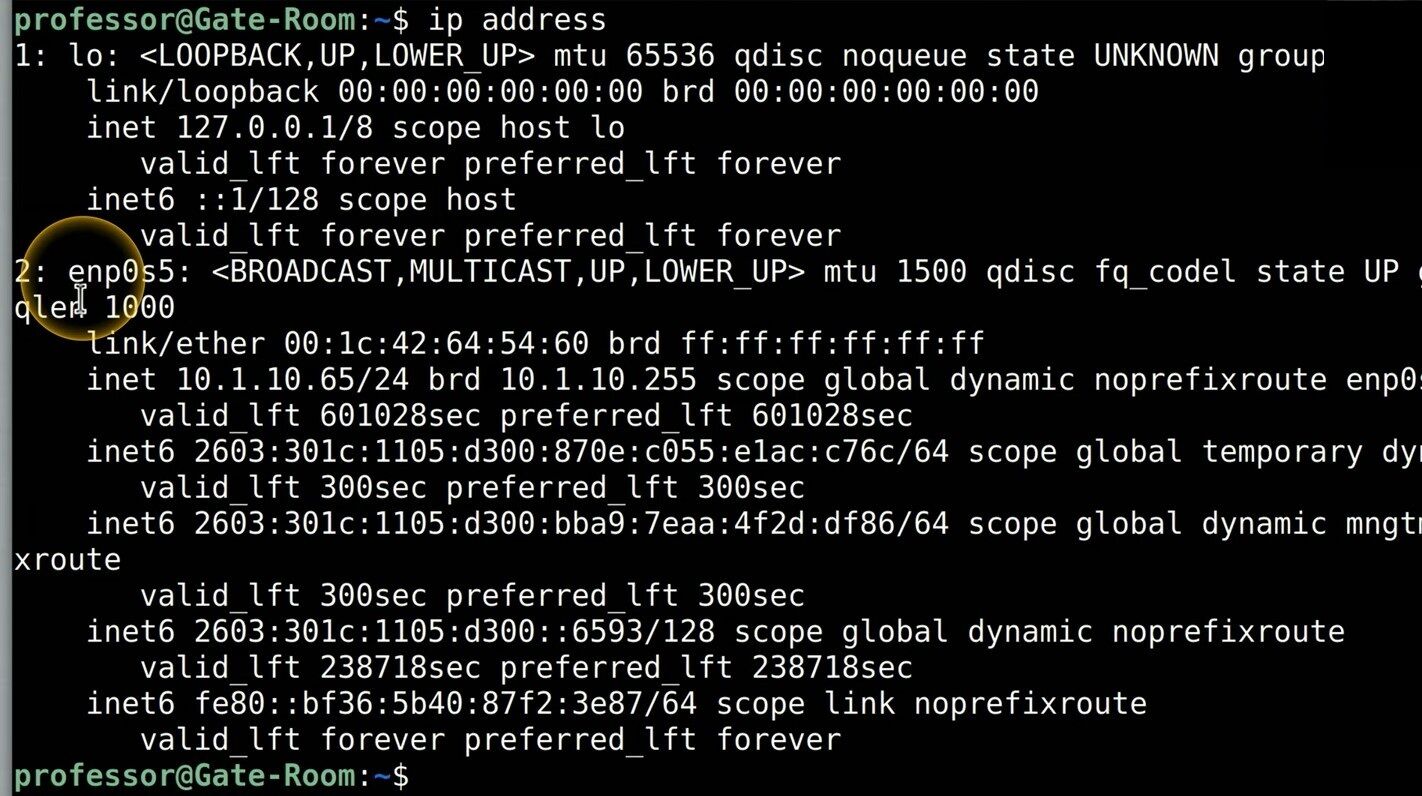
Key Technical Details from the Image:
- Layer 2 (Data Link): We see the MAC address (
link/ether 00:1c:42:64:54:60), which is unique to the hardware or virtual NIC. - Layer 3 (IPv4): The device is assigned
10.1.10.65with a/24subnet mask. The broadcast address is correctly identified as10.1.10.255. - IPv6 Connectivity: The output shows several IPv6 addresses, including a link-local address (
fe80::) and global addresses, demonstrating a modern dual-stack configuration.
For professionals in the IT sector, the ability to quickly parse this information is vital for troubleshooting connectivity, configuring firewall rules, or managing virtualized environments. Mastering the ip utility is not just a preference; it is a necessity for efficient Linux systems management.
#Linux #Networking #SysAdmin
Visit my website for more technical insights: matteocasiraghi.it
 the beginning of matching tips
Leave a comment