 homepage | the beginning of

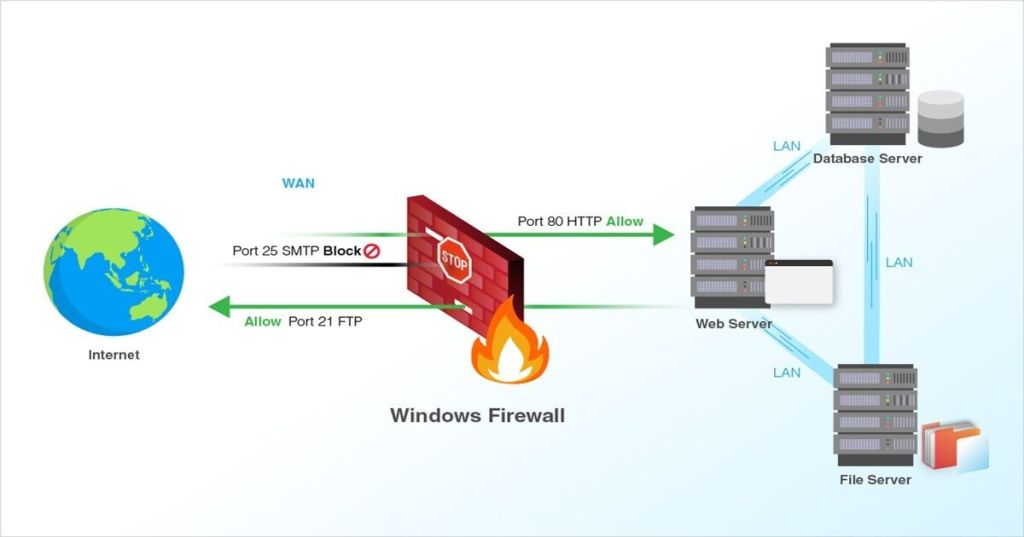
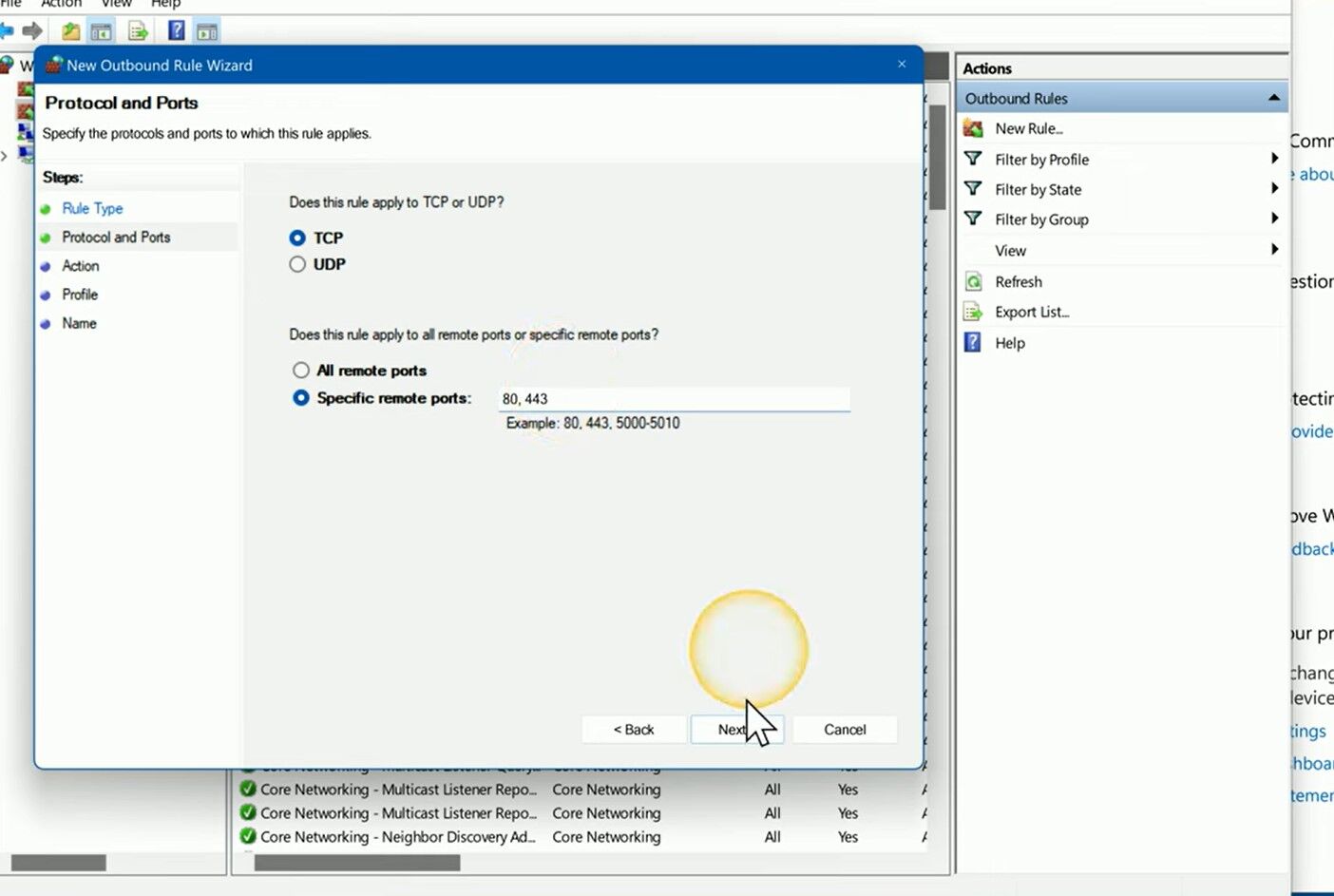
This image shows the configuration of a Windows Firewall outbound rule designed to restrict browser traffic by targeting the most common web ports—TCP ports 80 (HTTP) and 443 (HTTPS).
The wizard interface guides the user through setting up the protocol (TCP), then specifying “Specific remote ports” rather than allowing all traffic, effectively blocking access to standard internet services if the rule action is set to “Block.”
Such a rule is particularly useful for network administrators who want to limit outgoing HTTP/HTTPS connections, either for security reasons or to enforce company policies on certain workstations.
Once configured, this restriction can prevent browsers and other applications from reaching web services via these ports, significantly reducing the risk of unwanted data leaks or access to external content.
Implementing targeted port blocking is an essential technique in environments where fine-grained outbound control is needed, such as schools, enterprises, or sensitive networks.
By restricting these specific ports, administrators maintain tighter control over how and when devices communicate over the internet, and can efficiently log and monitor any attempts to bypass such security rules.
#FirewallRules #NetworkSecurity #WindowsServer
Visit my site for more IT and home networking tips: matteocasiraghi.it
 the beginning of matching tips
Leave a comment