 homepage | the beginning of


A DMARC TXT record is a critical DNS entry for domain security, helping protect email addresses from spoofing and phishing attacks by specifying how receiving mail servers should handle messages not authenticated with SPF or DKIM standards.adding-an-DMARC-txt-record.jpg
What is a DMARC TXT Record?
DMARC stands for “Domain-based Message Authentication, Reporting & Conformance.” This protocol allows domain owners to define policies for email validation, requesting reports about suspicious or unauthorized emails sent using their domain. The DMARC record itself is published as a TXT record in the DNS settings, typically named “_dmarc.yourdomain.com.”adding-an-DMARC-txt-record.jpg
Why Add a DMARC TXT Record?
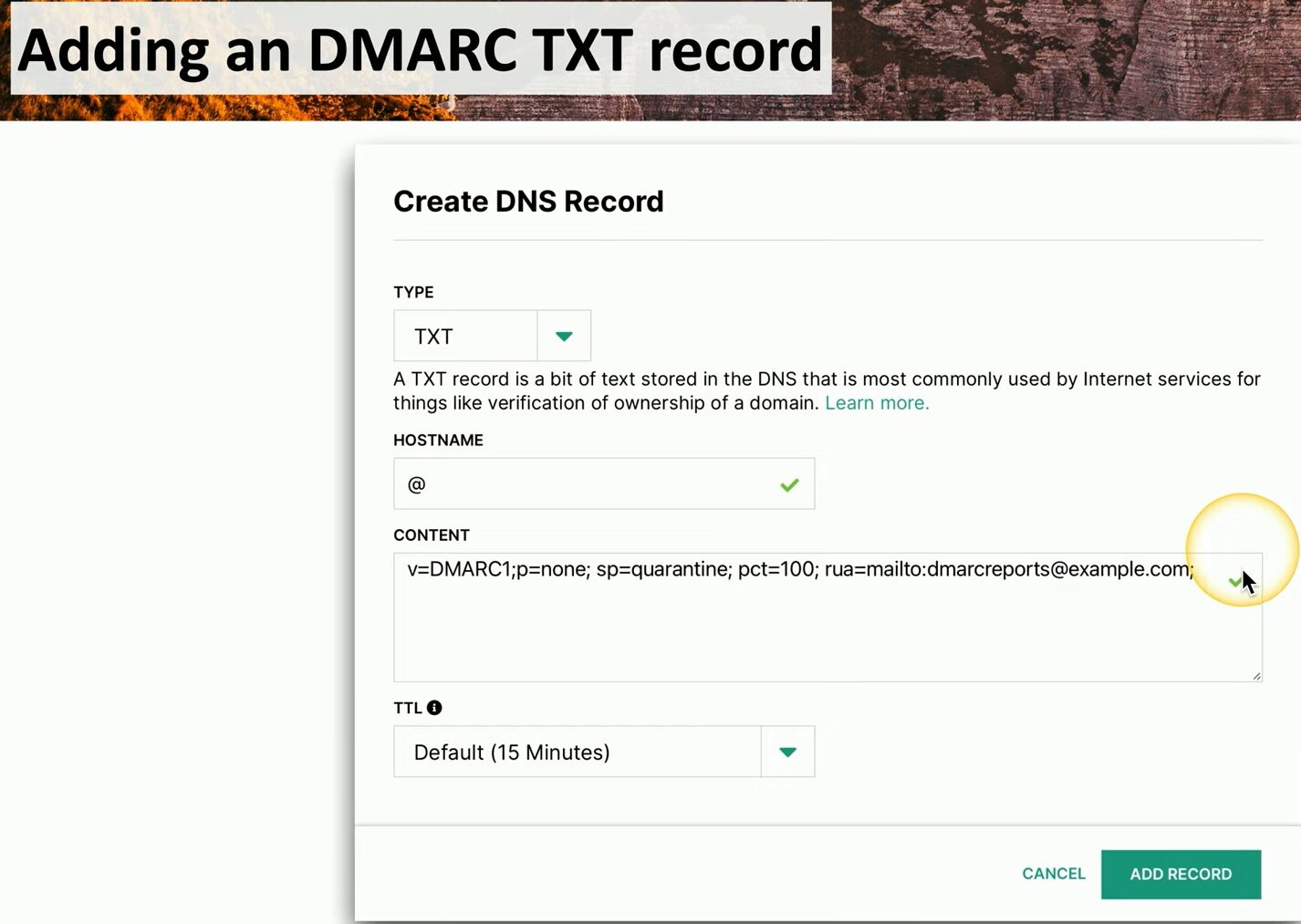
Implementing DMARC enhances email authenticity, minimizing risk from spam, impersonation, and fraud. By specifying DMARC rules (such as “none,” “quarantine,” or “reject”), domain owners decide how email providers treat unauthenticated messages. Look at the example shown in the image:
How to Add a DMARC TXT Record
To add this record, navigate to your DNS management panel, select “TXT” as the type, and input the hostname (usually “@”, “_dmarc”, or your domain). Enter the required DMARC policy in the content field, set the desired TTL (time to live), and save the record. This instructs email servers how to handle messages from your domain, helping protect your brand and users from cyber threats.adding-an-DMARC-txt-record.jpg
By configuring DMARC, organizations gain insights into email flow and unauthorized usage, improving both security and deliverability.
 the beginning of matching tips
Leave a comment