 homepage | the beginning of

Visual Basic Scripting Edition (VBScript) is a powerful tool for automating tasks within Windows environments.
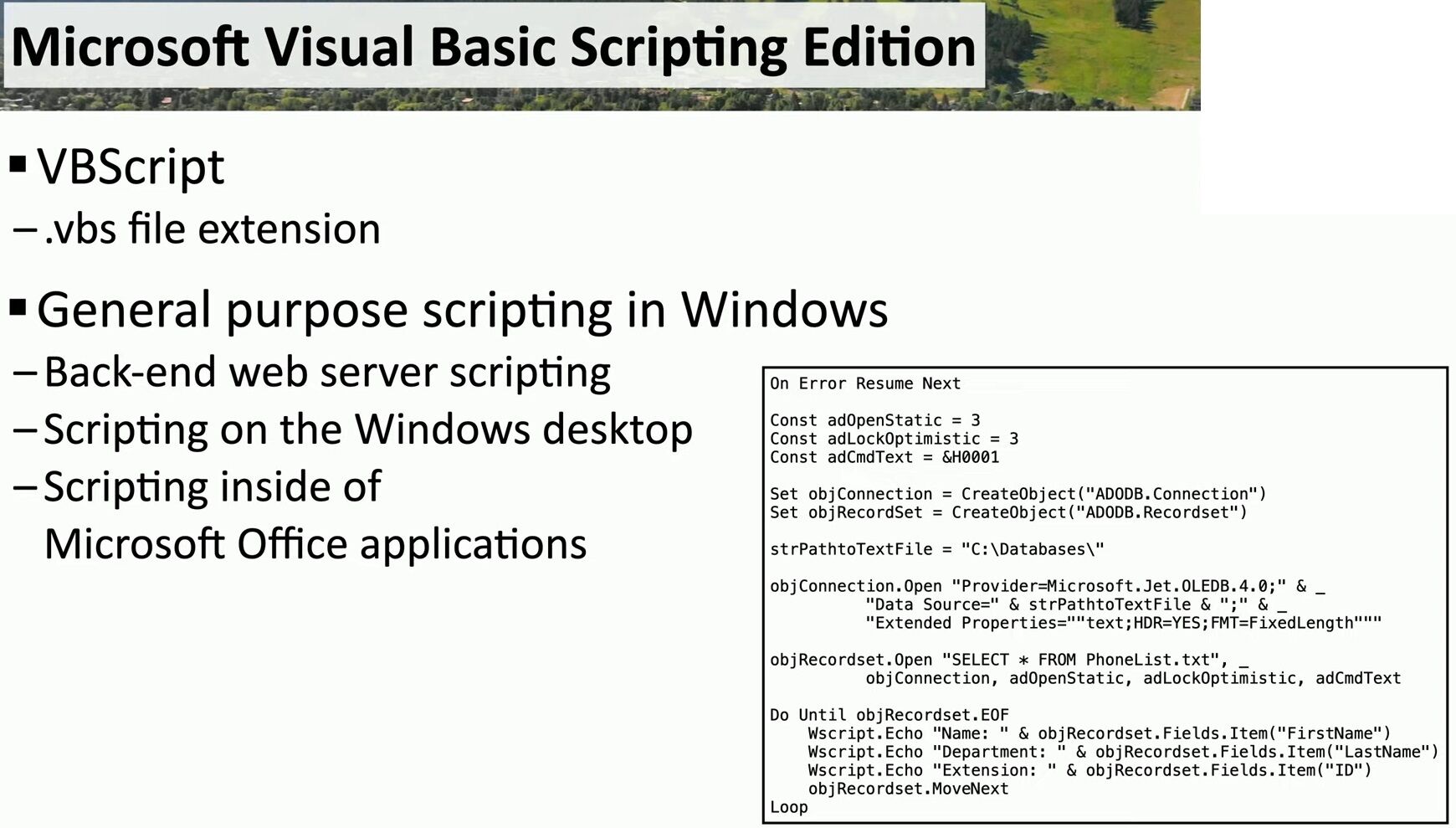
As seen in the image, VBScript uses a simple `.vbs` file extension and provides general-purpose scripting capabilities.
It allows you to script back-end web server processes, automate tasks on the Windows desktop, and even control Microsoft Office applications. One of its major advantages is how easily it integrates with these programs, giving developers the ability to automate tasks like managing databases, generating reports, and other repetitive actions.
But how does VBScript compare with PowerShell?
While VBScript excels at automating individual applications—such as Word, Excel, or Access—PowerShell, on the other hand, is a scripting language designed for automating tasks at the operating system level.
PowerShell can manage system-wide settings, handle file and folder management, and control system security settings. It’s the go-to for IT professionals looking to automate administrative tasks across an entire system.
**VBScript** is ideal for automating specific application workflows, while **PowerShell** provides the ability to manage and automate the broader operating system itself.
#VBScripting #AutomationTools #PowerShell
 the beginning of matching tips
Leave a comment