 homepage | the beginning of

Dive into Event Viewer Insights
Hello tech aficionados and IT professionals! If you’re keen on mastering the Event Viewer and its myriad functionalities, look no further than “Matching Tips.” Join me as we explore this powerful tool with intelligence, humor, and practical insights.
Have you ever wondered, What happened when troubleshooting an issue? The Event Viewer holds the answer. This indispensable tool categorizes events into Application, Security, Setup, and System logs, giving you a comprehensive overview of your system’s activity.
Whether you’re dealing with Information, Warnings, Errors, Critical issues, or Audits, the Event Viewer has got you covered. It provides detailed insights into each event type, enabling you to pinpoint problems and ensure your system runs smoothly.
Ever struggled to navigate this tool? Worry no more!
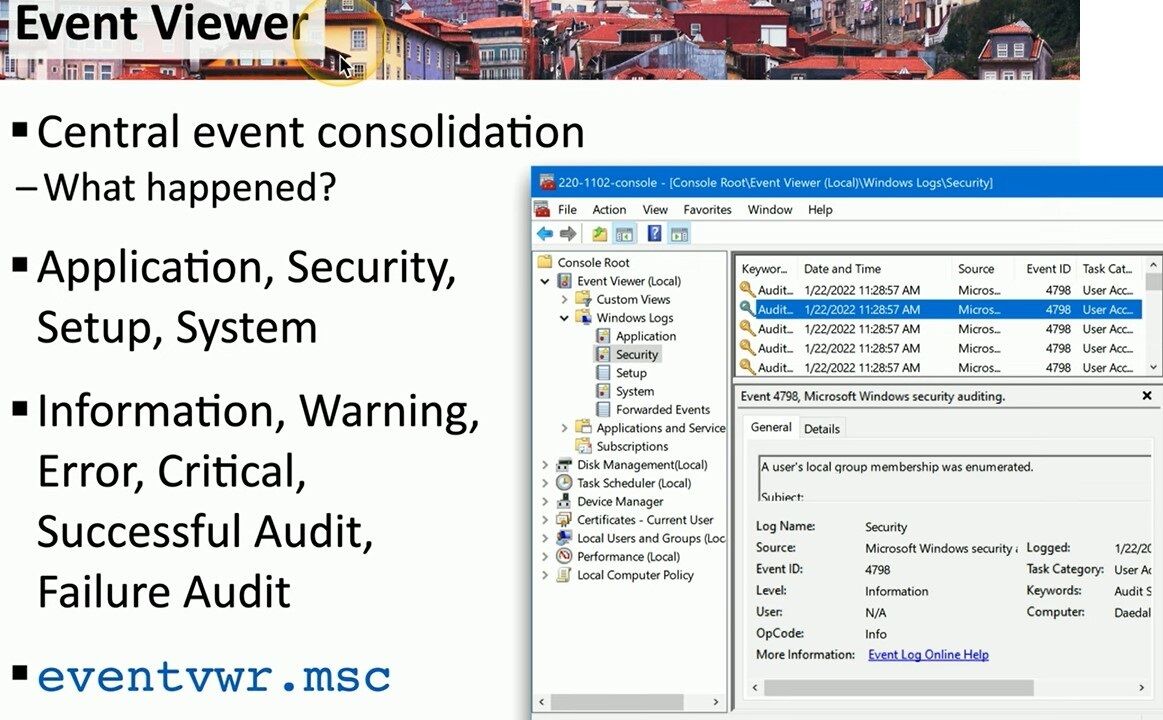
You’ll learn how to access the console via eventvwr.msc, filter events, and understand the critical information presented.
Imagine being able to swiftly identify a security breach or troubleshoot a failed application install. With the Event Viewer, you can monitor every aspect of your system, from successful audits to failure audits. This level of visibility is crucial for maintaining system integrity and security.
Join me at “Matching Tips” as we unlock the full potential of the Event Viewer. My posts are crafted to be both informative and entertaining, ensuring you not only learn but enjoy the process. Follow my site for more expert tips, clever tricks, and a touch of humor to brighten your tech journey.
Don’t miss out on this opportunity to enhance your skills and keep your systems in top shape. Visit “Matching Tips” today and become an Event Viewer maestro!
#TechInsights #EventViewer #SystemMonitoring
 the beginning of matching tips
Leave a comment