 homepage | the beginning of


🚀 Stay Safe Online: Navigating Browser Security Alerts with Ease 🚀
Hey there, savvy surfers of the web! 🌐 Ever been cruising the internet and suddenly get hit with a security alert? 🚨 It’s like the internet’s way of saying, “Hey, something fishy is going on here!” Let’s break down what these browser security alerts mean and how you can handle them like a pro. 😎
Security Alerts and Invalid Certificates
First things first: what’s the deal with these alerts? When you see a security alert pop up, it’s your browser’s way of telling you that something isn’t quite right. Think of it as a friendly nudge to proceed with caution. 🛑 It’s a hint that you should definitely look deeper into what’s going on.
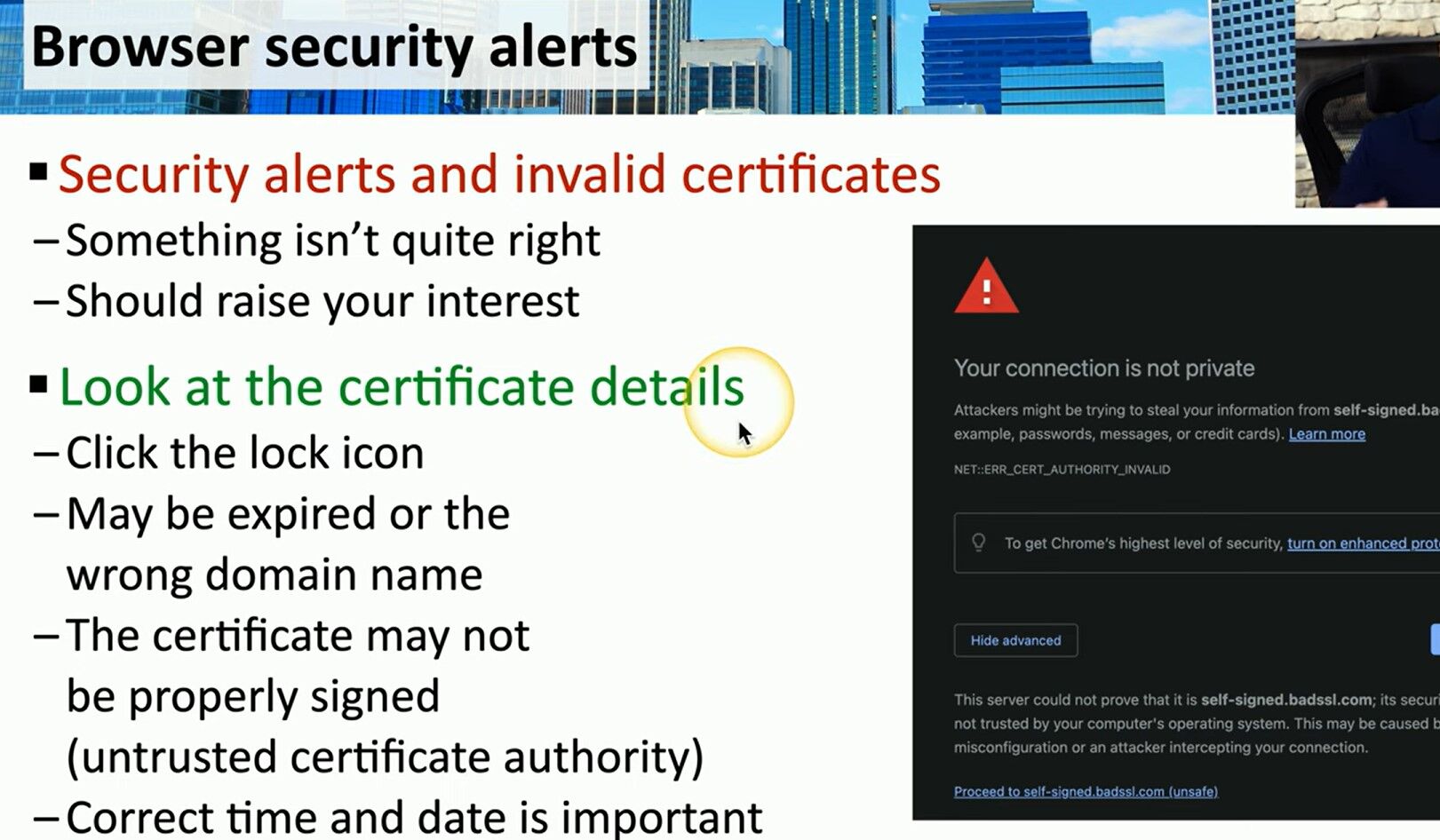
Should Raise Your Interest
When you see a security alert, don’t just brush it off. It’s a sign that you need to pay attention! ⚠️ Whether it’s an expired certificate, a mismatched domain name, or an untrusted certificate authority, these alerts are there to protect you. So, let’s learn how to investigate these alerts further.
Look at the Certificate Details
This is where you get to play detective! 🕵️♂️ Here’s how you can dig into the details:
- Click the Lock Icon: It’s usually found in the address bar next to the website URL. This lock icon is your gateway to the certificate details.
- Check for Expiry: Sometimes, the certificate has simply expired. Just like that carton of milk in your fridge, it’s no longer good after a certain date. 🥛
- Verify the Domain Name: Make sure the certificate matches the domain name you’re visiting. If it doesn’t, that’s a big red flag. 🚩
- Check the Signature: If the certificate isn’t properly signed or is from an untrusted certificate authority, it means you can’t be sure who’s on the other end. It’s like getting a letter with no return address. 📬
Correct Time and Date is Important
Here’s a fun fact: your device’s time and date settings can mess with certificate validation. 🕰️ If your system clock is off, it might make a perfectly valid certificate look suspicious. So, make sure your device’s time and date are set correctly!
In a Nutshell
When you encounter a browser security alert, take a moment to investigate. These alerts are there to keep you safe, and understanding them can help you navigate the web securely. 🌍 Next time you see that lock icon, you’ll know exactly what to do!
Stay safe and surf smart! 🖥️💡
👉 Learn more tips and tricks at matteocasiraghimc.wordpress.com
#CyberSecurity #InternetSafety #TechTips
 the beginning of matching tips
Leave a comment