 homepage | the beginning of

🚀 Unleashing the Power of Port Forwarding: Your Guide to Destination NAT and Static NAT 🚀
Hey tech enthusiasts! 🌐 Ever wanted to access your home network services from anywhere in the world, anytime you like? Well, that’s where the magic of port forwarding comes into play! Whether you’re running a web server, gaming server, or even a security system, port forwarding ensures you’ve got 24×7 access to your services hosted internally. Let’s dive in and break it down, shall we? 😎
What is Port Forwarding?
Port forwarding is like having a VIP pass to your own private concert. 🎟️ It allows external devices to access services on your internal network. Imagine you have a web server at home and you want to access it while sipping coffee at a cafe. With port forwarding, you can do just that!
How Does It Work?
It’s pretty straightforward! Here’s the gist:
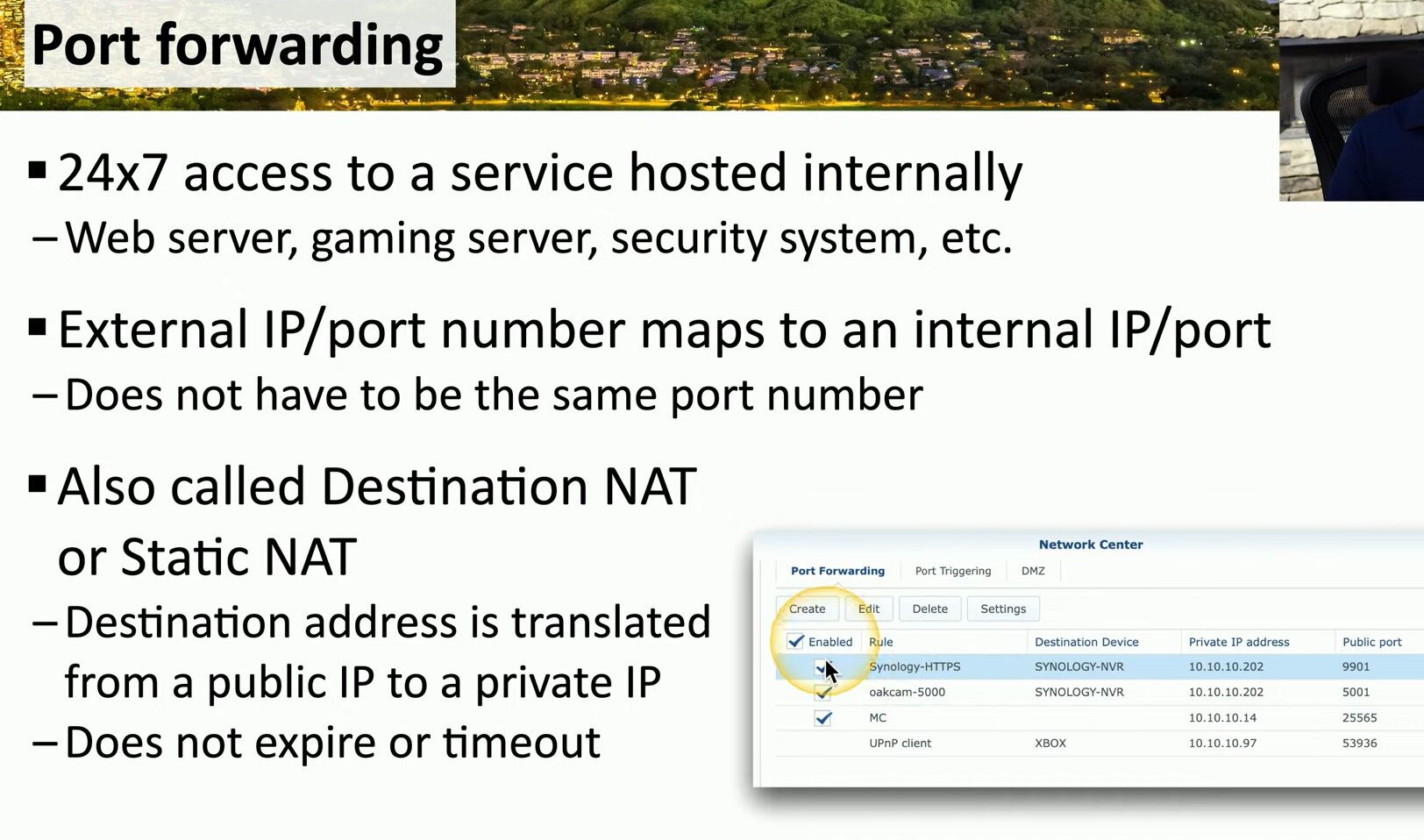
- External IP/Port Maps to Internal IP/Port: Think of it as a post office forwarding your mail from your public address to your private one. 📬 Your router takes requests coming to your external IP and specific port number and forwards them to the corresponding internal IP and port number. And guess what? The port numbers don’t even have to match!
Destination NAT or Static NAT
Port forwarding is often called Destination NAT (DNAT) or Static NAT. But what does that mean?
- Destination Address Translation: This fancy term just means your router changes the destination address of incoming traffic from a public IP to a private IP. 🏡
- No Expiry or Timeout: Unlike some network configurations that might expire or timeout, static NAT ensures your port forwarding rules are always in place. So, your access is always on, anytime you need it.
Why Use Port Forwarding?
Here are some cool scenarios where port forwarding comes in handy:
- Web Server: Host your personal website from home and access it anywhere.
- Gaming Server: Play games with friends without any hiccups.
- Security System: Keep an eye on your home security cameras while you’re on vacation. 🏖️
Setting It Up
Setting up port forwarding might sound complex, but it’s simpler than you think:
- Access Your Router Settings: Usually via a web browser.
- Find the Port Forwarding Section: This might be under advanced settings or similar.
- Create a New Rule: Specify the external port, internal IP, and internal port.
- Save and Test: Make sure everything is working smoothly.
—Port forwarding is your ticket to seamless access to your internal services from anywhere in the world. 🌍 Whether you’re managing a server or just want to play games with friends, port forwarding makes it all possible. So, go ahead and set it up—you’ll wonder how you ever lived without it!
Stay connected and keep exploring! 🖥️🔗
👉 Learn more tips and tricks at matteocasiraghimc.wordpress.com
#NetworkMagic #PortForwarding #TechSavvy
 the beginning of matching tips
Leave a comment