 homepage | the beginning of

Mastering Disk Management with the Diskpart Command in Windows
For advanced disk management tasks in Windows, the diskpart command is an invaluable tool. This powerful utility allows users to manage their computer’s drives directly from the command prompt, offering a range of functionalities that can optimize and troubleshoot disk-related issues.
Using Diskpart Help Command
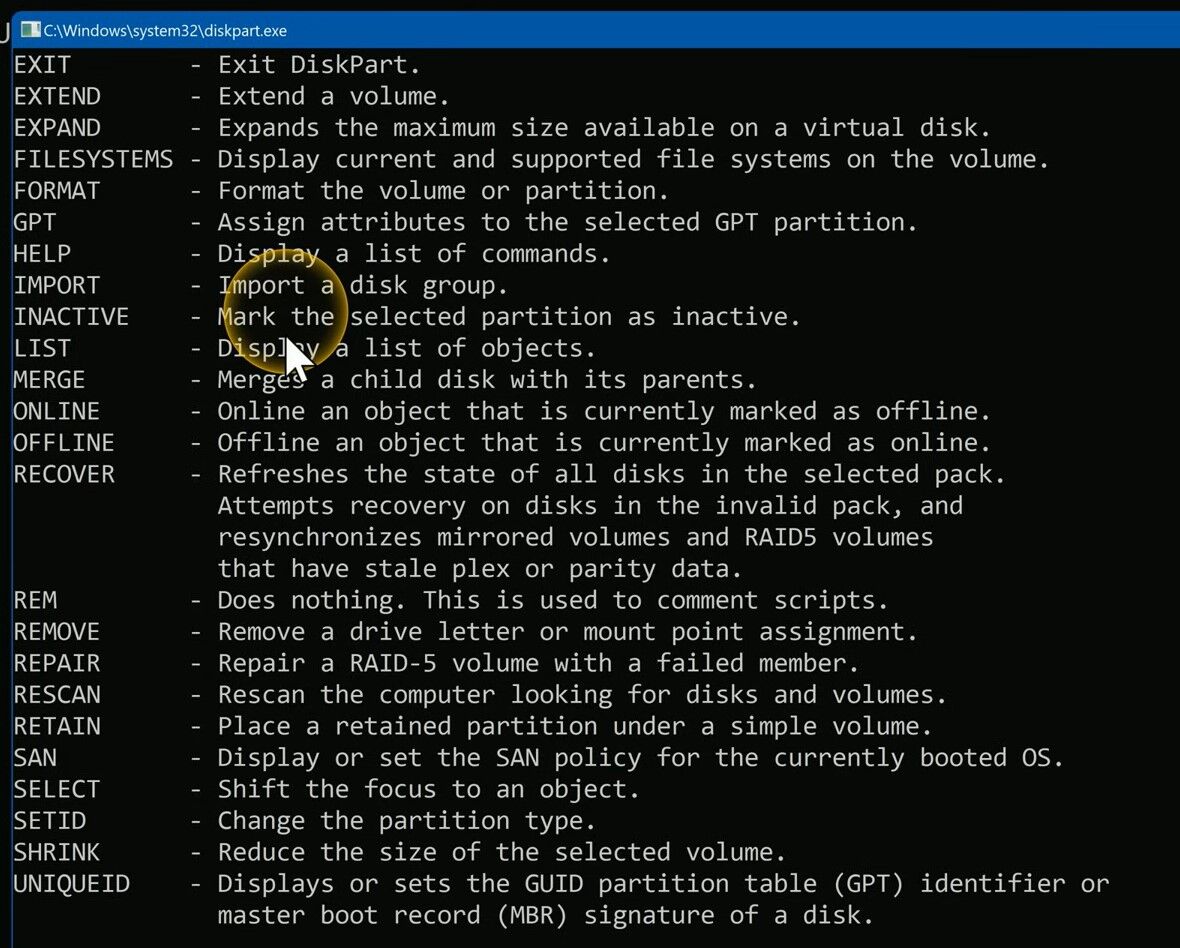
The diskpart command provides extensive capabilities, and to navigate these features, you can use the diskpart help command. This command lists all available Diskpart commands, helping you understand how to perform various tasks. Here’s how you can access and use the diskpart help command:
- Open Command Prompt as AdministratorSearch for “Command Prompt” in the Start menu, right-click, and select “Run as administrator”.
- Search for “Command Prompt” in the Start menu, right-click, and select “Run as administrator”.
- Enter DiskpartType
diskpartand press Enter. This will launch the Diskpart tool - Access HelpType
helpand press Enter. You’ll see a list of all commands available within Diskpart.
Here are some of the key commands you can utilize:
Extend a Volume
To extend a volume, use the extend command. This allows you to increase the size of a partition by using unallocated space on the disk.
Format a Partition
To format a partition, use the format command. This prepares the partition for use and can be customized with various file systems.
Remove a Drive Letter
To remove a drive letter, use the remove command. This can help in hiding partitions from being accessed via a drive letter.
Rescan the Computer
To rescan the computer and detect new disks, use the rescan command. This is useful after adding new disks to the system.
Additional Commands
Other useful commands you can find with diskpart help include create partition, delete volume, assign letter, and many more. Each command comes with its own set of parameters and options, making Diskpart a versatile tool for disk management.
In conclusion, Diskpart is a robust utility for managing disks in Windows. By using the diskpart help command, you can quickly learn about and leverage the various functionalities available to optimize your system’s storage management.
#WindowsTips #Diskpart #CommandPrompt #DiskManagement #VolumeExtend #FormatPartition #RemoveDriveLetter #RescanComputer #WindowsAdmin #TechTips
 the beginning of matching tips
Leave a comment