 homepage | the beginning of

🔒 Ensuring Download Integrity: A Guide to Free Tools 🛠️
Downloading files from the internet can sometimes be a gamble. Ensuring that what you’ve downloaded is exactly what you intended is crucial, especially when it comes to sensitive data or important documents. One way to verify the integrity of downloaded files is through file checksums or hashes. These are unique strings of characters generated from the contents of a file, and they act as a digital fingerprint.
So, how do you confirm the integrity of a downloaded file using these checksums? It’s simple, and there are plenty of free tools available for the task. Here’s a quick guide on how to utilize them:
- Download the Tool: First things first, you’ll need a tool that can calculate and compare file checksums. Luckily, there are several free options out there. Some popular ones include HashCheck, QuickHash, and FileVerifier++.
- Install the Tool: Once you’ve chosen your preferred tool, download and install it on your system. These tools are usually lightweight and user-friendly, making the installation process a breeze.
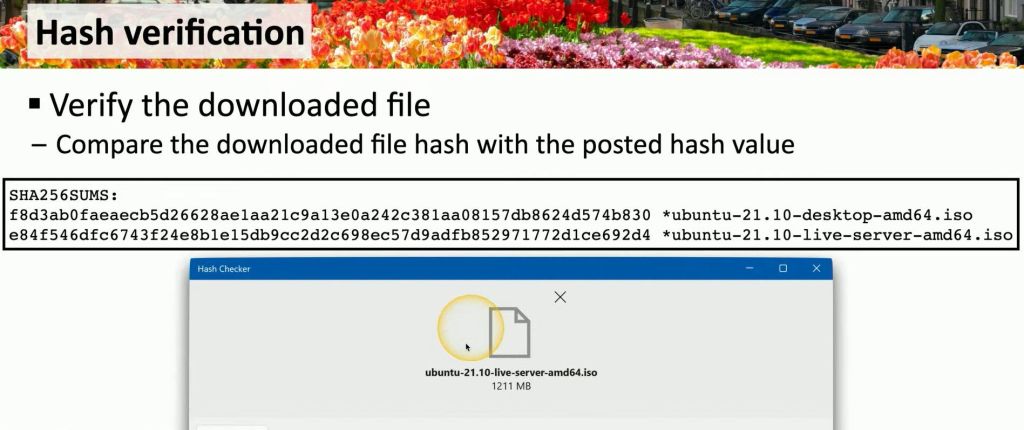
- Generate Checksums: With the tool installed, it’s time to generate checksums for your downloaded files. Most tools provide an option to generate checksums for a single file or multiple files at once. Simply select the file(s) you want to verify and let the tool do its magic.
- Compare Checksums: After generating the checksums, the tool will display the unique hash for each file. Now, you’ll need the original checksum provided by the file’s source. This could be found on the website where you downloaded the file or alongside the file itself. Compare the generated checksum with the original one to ensure they match.
- Verify Integrity: If the checksums match, congratulations! You’ve successfully confirmed the integrity of your downloaded file. It’s safe to use and free from tampering. However, if the checksums don’t match, it’s a red flag indicating that the file may have been corrupted or tampered with during download. In such cases, it’s best to re-download the file from a trusted source.
By incorporating these simple steps into your download routine, you can add an extra layer of security and peace of mind to your online activities. Remember, when it comes to file integrity, it’s better to be safe than sorry. Utilize these free tools to ensure that what you download is exactly what you expect it to be. Stay safe and happy downloading! 🔍🔒
 the beginning of matching tips
Leave a comment